
Dinners that work for everyone at your table.
Last checked
Tell the app once what each person must avoid. Reload plans tonight's dinner around the people eating, and each dinner says whose allergies it checked, so you still check labels.
Pantry Assistant is a planning convenience, not a promise about what anyone can eat. It leaves out dinners that match a Diner's allergies using only the ingredients it knows about, and it can miss things, like a brand that changed its recipe, so always check labels.
How it works
- Add each person's allergies once, in Settings under Food & diet; the app asks before it saves anything, and you still check labels.
- Open Tonight, where Reload leaves out the dinners that match the allergies of the people eating tonight, and check labels.
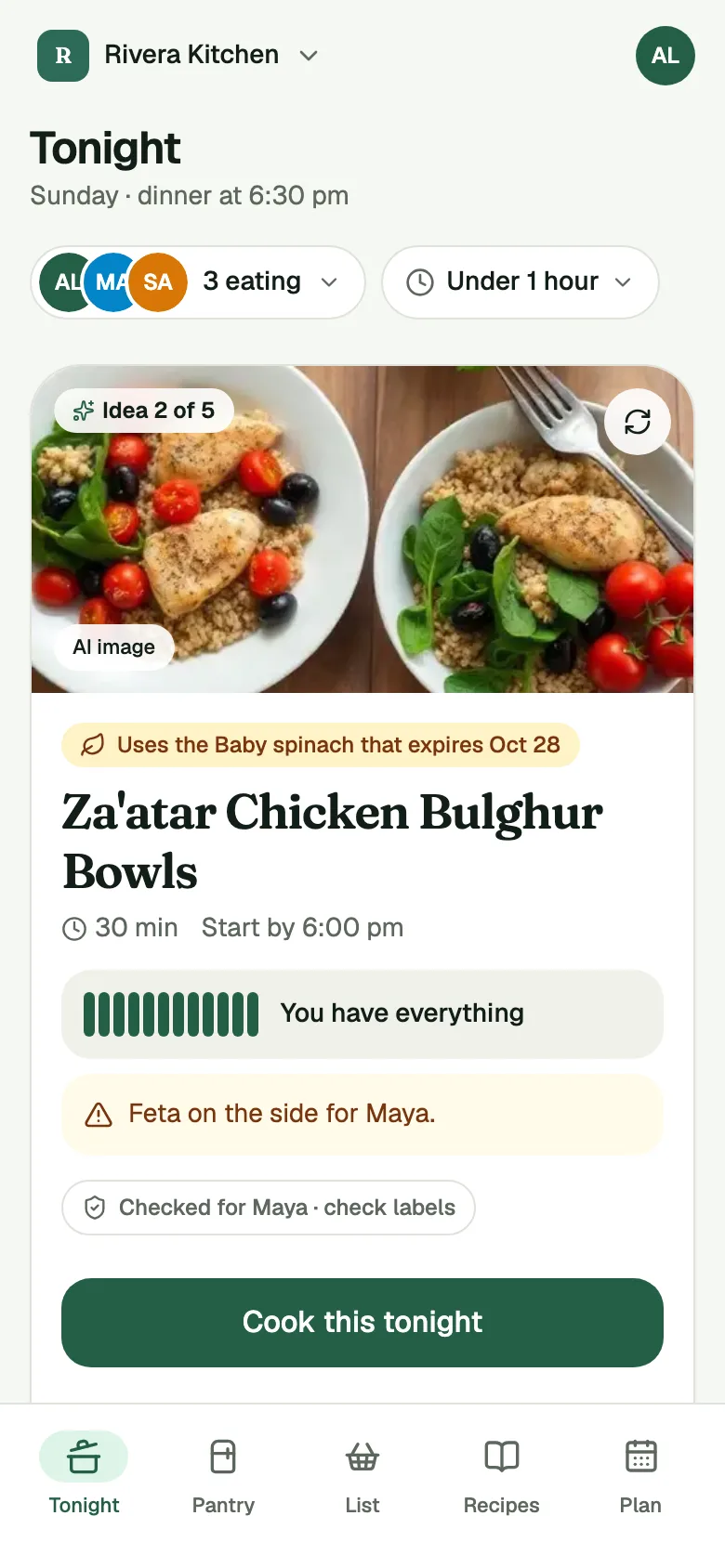
- Read the card. It says whose allergies it checked, like "Checked for Alex · check labels". Always check labels.
Add each person's allergies once
In Settings, open Food & diet. Under Never in my dinners, tap a common allergy or search for another food, and the page says: "Dinner ideas leave these out. Always check labels." The first time, the app shows a note before it saves anything, and you choose which kitchens can see it. The note says: "The app leaves out dinners with your allergies, using the ingredients it knows about. It can miss things, like a brand that changed its recipe. Always check labels."
A kitchen plans around your allergies only when Share my food needs is on for you there, and you still check labels. That switch starts off. For a child or someone who won't log in, an Owner sets their food & diet for them. Always check labels.
Reload leaves out the matches
Reload picks one dinner at a time. A dinner with a food that one of tonight's eaters has listed as an allergy is left out, but the app only compares each recipe's ingredients with what it knows about those foods, so it can miss things and you still check labels.
What the dinner card says
Each pick shows a line naming the people whose allergies it checked: "Checked for Alex · check labels". Tap it to see which foods: "Checked for Alex: Peanuts. Always check labels."
OK on the side
This switch is only for a food that someone has said is fine for them on the side, and they still check labels. Angie has said avocado is fine for her that way, so she turns it on for avocado on Food & diet. Under the switch, the app says: "The food will be in the same kitchen and may touch shared pans." The dinner stays only when two things are true: the switch is on, and the taco recipe's avocado line is marked On the side (you mark it yourself: turn on On the side on the ingredient line in the recipe editor, because a recipe you import comes in unmarked), and you still check labels. Then a taco dinner whose only problem is the avocado topping stays in Reload with a yellow mark, and the recipe adds a step: "Set aside a portion for Angie before adding Avocado." The mark reads "Avocado on the side for Angie", and you still check labels. With the switch off, or with the avocado line not marked On the side, that dinner is left out, so check labels. Always check labels.
Show dinners I can't eat
Under the card, a quiet line such as "2 ideas hidden for allergies · Show anyway" shows the left-out dinners for now, marked in red, and you still check labels. To always see them, go to Settings, under Preferences & notifications, and turn on Show dinners I can't eat; they stay marked in red, it only changes your own suggestions, and you still check labels.
Guests
Tap the people chip on Tonight and choose Add a guest. Give a name and pick anything they can't eat, such as an allergy, then check labels. Tonight's dinners leave those foods out. The guest is only for tonight and isn't added to your kitchen. Always check labels.
What it does not do
It does not promise what anyone can eat. It checks the ingredients it knows about, and that is all it checks. It can miss things, like a brand that changed its recipe, so it cannot replace reading the label on the package you are holding.
It does not read labels for you, and it does not know about an allergy nobody has entered, so check labels. If a dinner matters to someone's health, read the label and ask the cook. Always check labels.
Common questions
Does it check every ingredient?
No. It checks the ingredients it knows about. A recipe or a package can include something it does not know about, and a brand can change its recipe without the app finding out. Always check labels.
What if a food is fine for someone served apart?
If that person has said so, turn on OK on the side for that food on Food & diet, and still check labels. The app then says: "The food will be in the same kitchen and may touch shared pans." The dinner stays only when the switch is on and the recipe line for that food is marked On the side (you mark it yourself: turn on On the side on the ingredient line in the recipe editor, because a recipe you import comes in unmarked), and you still check labels. Then a dinner whose only problem is that food stays in Reload with a yellow mark, and the recipe adds a step to set a portion aside before adding it. With the switch off, or the line not marked On the side, the dinner is left out, so check labels. Always check labels.
Can I add a guest for one night?
Yes. On Tonight, tap the people chip, choose Add a guest, and pick what they can't eat, then check labels. Tonight's dinners leave those foods out, and the guest is not added to your kitchen. Always check labels.