Tonight's dinner without the thinking.

Tell it what's in your kitchen once. One tap a day keeps it right. Then dinner is picked from what you have.

Pantry Assistant is a pantry tracker and dinner planner. Once a day, a Check-in asks a few questions, each already set to its best guess. Most days one tap confirms them, and the app picks tonight's dinner from what's really in your pantry.

Free to start. Setup takes a couple of minutes.

Join the iPhone beta
Get an invite
What will you use it on?

We'll email you a link to confirm. Nothing is kept until you tap it.

Or use it in your browser

Works on iPhone, iPad, Android and the web.

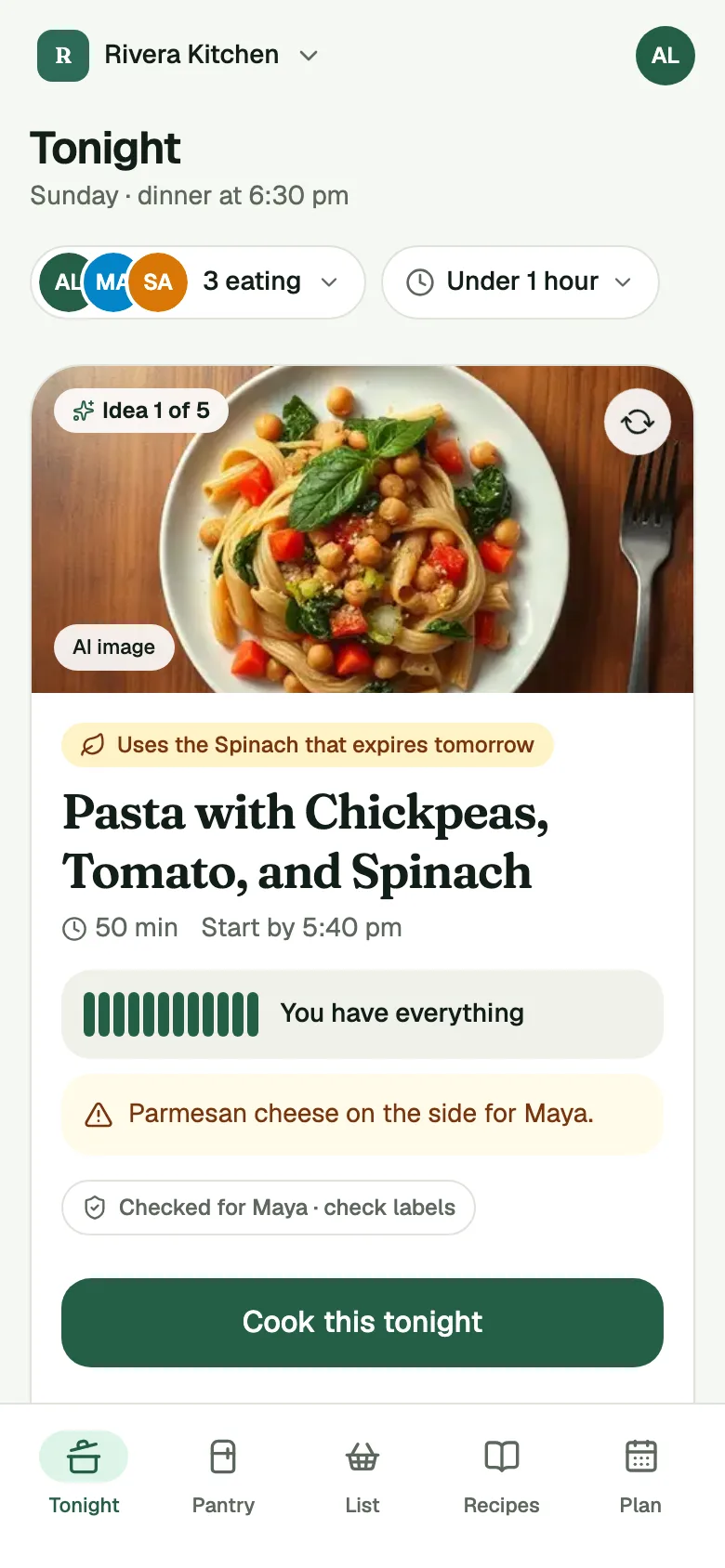
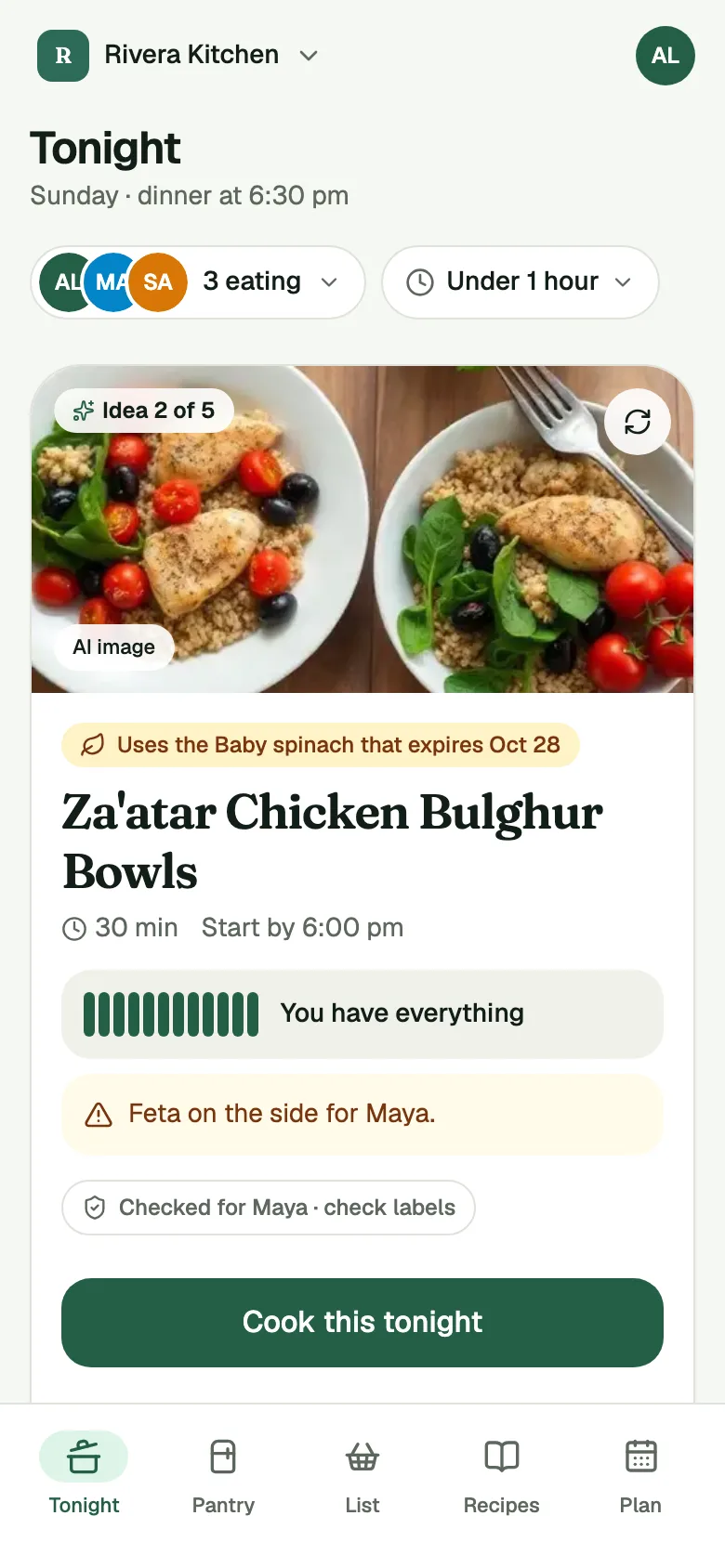
The Tonight screen showing one dinner card and the reason it was picked.

01Tonight

Dinner, picked.

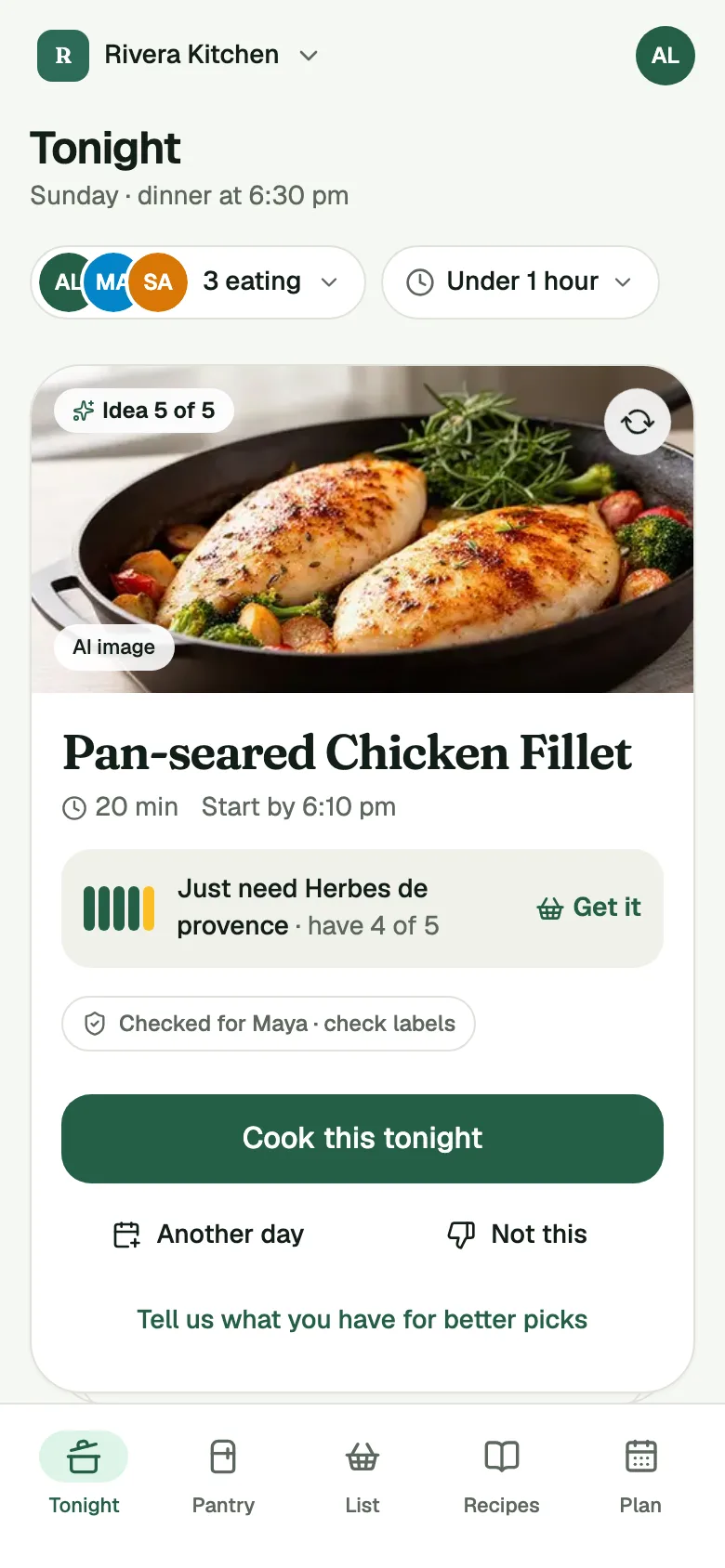
Each card says why that dinner was picked, like the spinach that needs using up. It's made from what's in your pantry, it's ready before dinner time, and it plans around who's eating tonight. Short one thing? The card says so. Not feeling it? Tap Reload for the next one.

Tonight after tapping Reload: the next dinner idea, pan-seared chicken, with the one thing still needed.

See tonight's pick for your kitchen.

Join the iPhone beta
Get an invite
What will you use it on?

We'll email you a link to confirm. Nothing is kept until you tap it.

02Getting your kitchen in

Tap what you have. That's the setup.

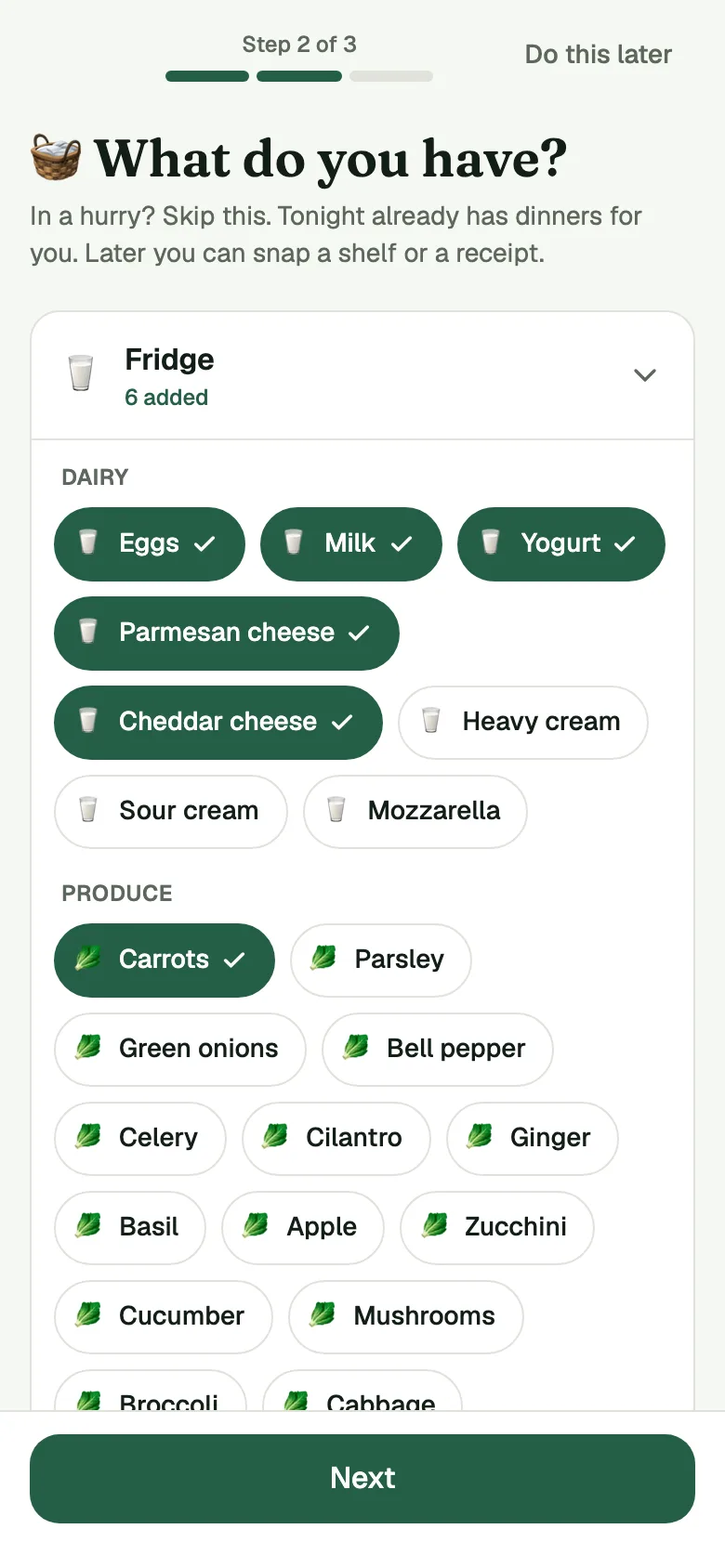
Setup asks one question: what do you have? Open the Fridge, the Freezer and the Pantry and tap the foods you see. It takes a couple of minutes. Start with a few things you have and add more as you go. Salt, oil and common spices are already counted, under Always on hand.

Setup's What do you have? screen, with six fridge foods tapped: eggs, milk, yogurt, parmesan, cheddar and carrots.

Back from the store? Snap it in.

Free kitchens get 3 scans a month, receipts and shelves together. Plus has no monthly limit, up to 10 scans a day.

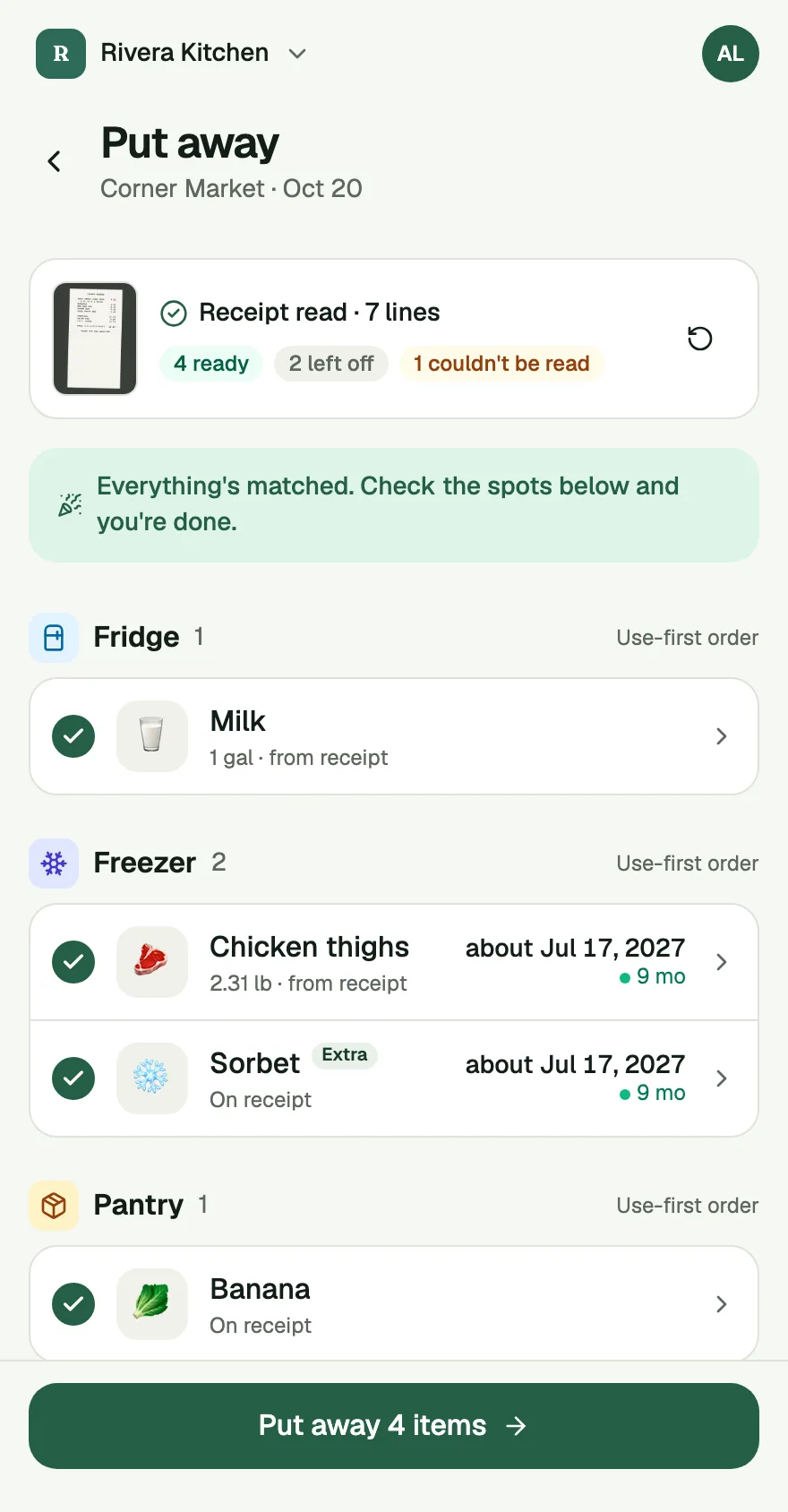
A read receipt in Put Away: 7 lines, 4 ready to put away, 2 left off, 1 couldn't be read.

Receipt scan

Unpack. Snap the receipt. Done.

Take a photo of your receipt. The app reads it and asks about anything it is not sure of. It even catches what you forgot to check off. You tap Put away. Nothing in your pantry changes before that.

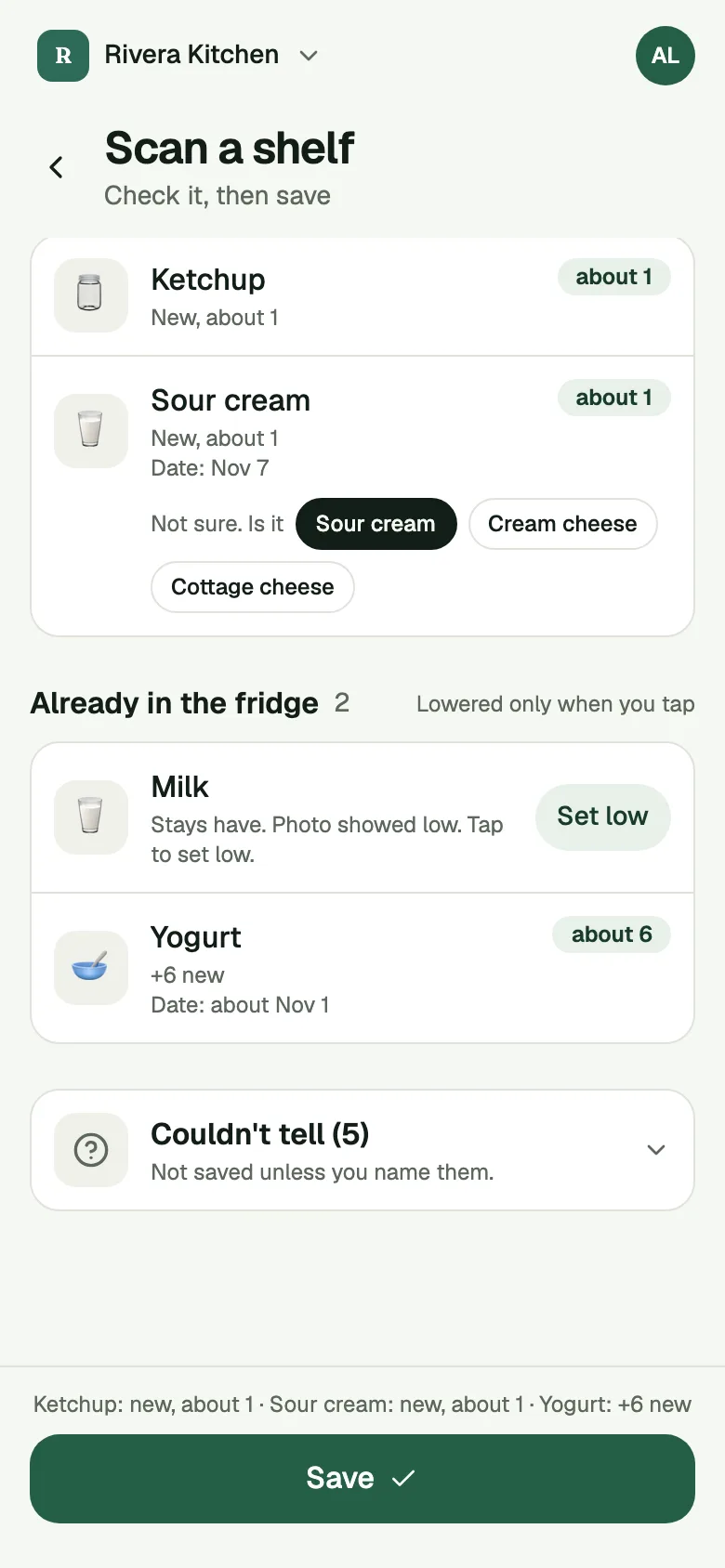
Shelf Scan results listing what it saw, with a Couldn't tell row for one item.

Shelf scan

Show it your fridge.

Take a photo of a shelf and the app reads what's there. If it can't tell what's in a foil packet, it asks instead of guessing. It never marks food as gone just because it was hidden behind the milk.

03Keeping it current

A pantry that stays current.

No more standing at the fridge at 5 pm trying to remember what's in there.

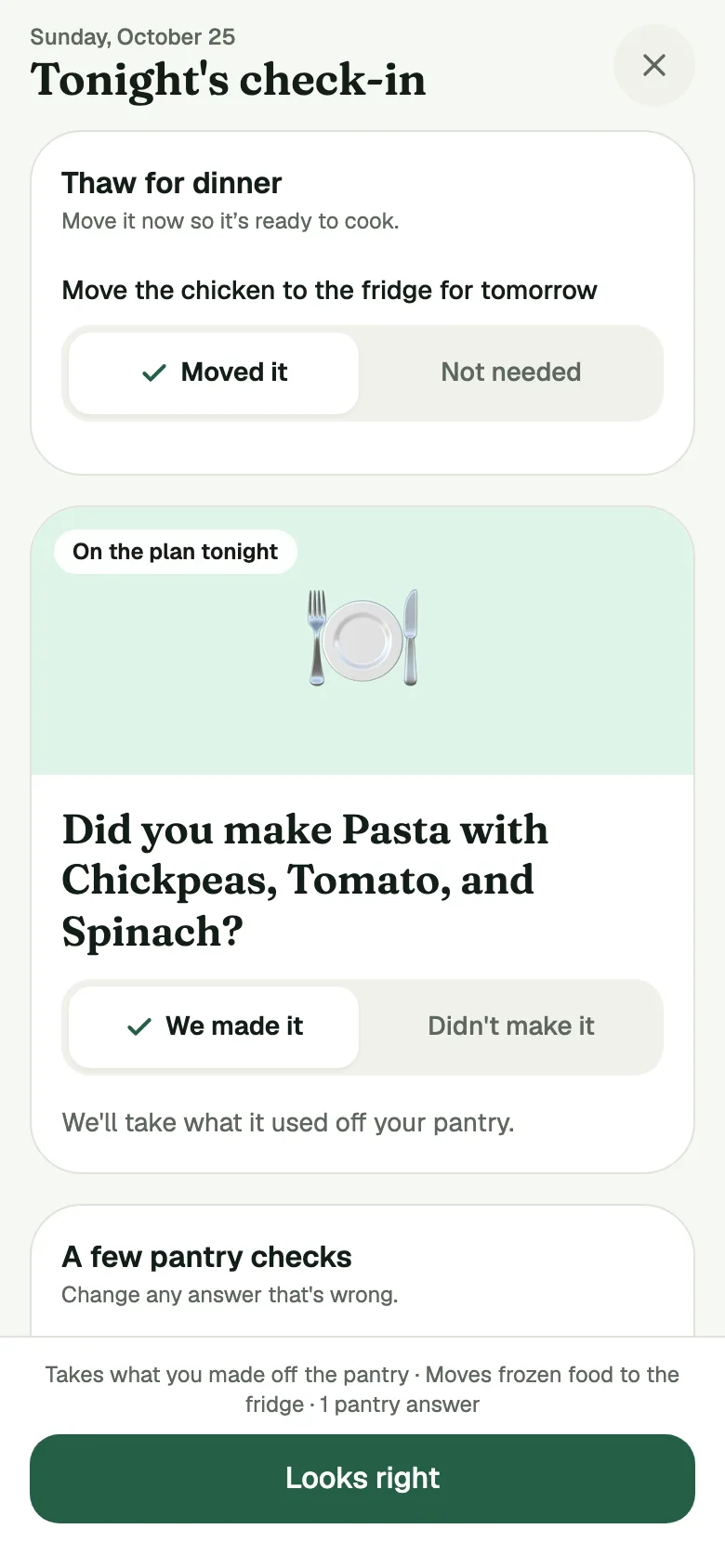
The daily Check-in with each answer already set to the app's best guess: the chicken moved to the fridge, tonight's pasta made.

Daily Check-in

One tap a day.

Each day the app asks a few quick questions. Did you make the tacos? Is the spinach still there? Every answer is already filled in with its best guess. Most days one tap confirms them all, and you change any answer that's wrong.

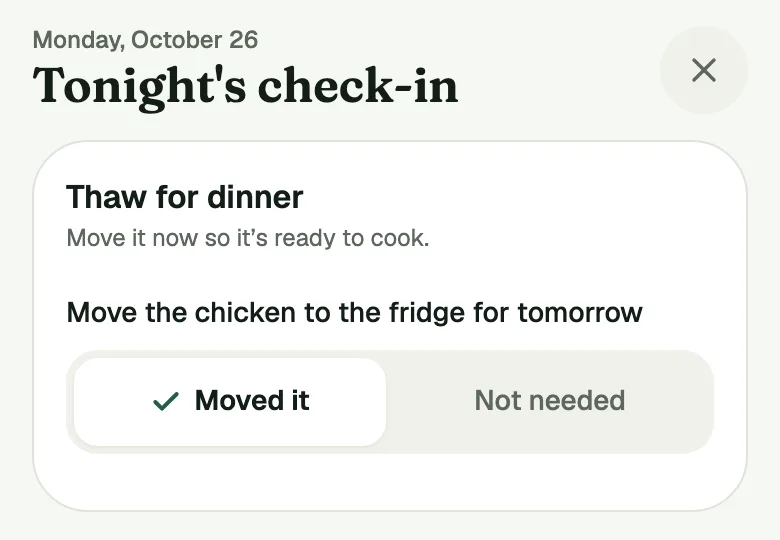
The Check-in's Thaw for dinner row: Move the chicken to the fridge for tomorrow, with Moved it already set.

Freezer

It remembers the freezer so you don't have to.

Planned the chicken for tomorrow? The app tells you when to move it to the fridge, a day ahead or more for a big turkey. One tap and it's marked as moved.

04Allergies

Dinners that work for everyone at your table.

Tell the app once what each person must avoid. Dinners that don't fit are left out, and each pick says whose allergies it checked, so you still check labels. If someone has turned on OK on the side for feta and the recipe's feta line is marked On the side, the dinner stays with a step to set some aside, and you still check labels. The app warns: "The food will be in the same kitchen and may touch shared pans."

Always check labels.

A Pantry Assistant dinner card for tonight, with a yellow mark on one food.

05Sharing

Share the recipe, not a screenshot.

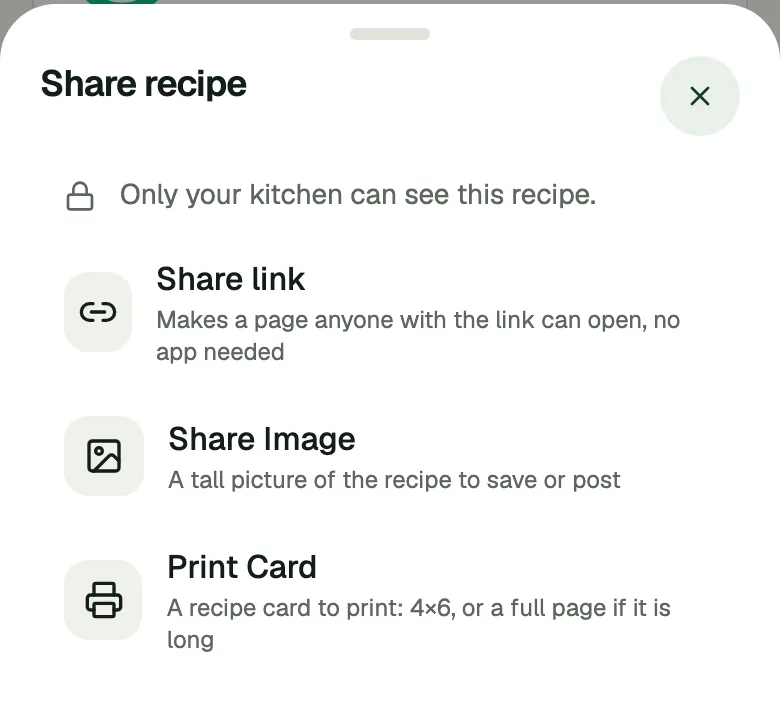
Send a link to a clean recipe page, no app needed. Or share a tall picture, or print a 4×6 card. Friends with the app save it to their kitchen in one tap.

The app's Share recipe menu: Share link, Share Image and Print Card.

What it does, one feature at a time.

Each page says what a feature does, how it works, and what it does not do.

Free and Plus

Compare Free and Plus

Free

Everything that runs your kitchen.

Pantry, daily Check-in, dinner picks, week plan, shopping lists, recipes, food & diet and sharing, and 3 receipt or shelf scans a month.

Dinner picks never need Plus. Picks from your own recipes and the Starter Recipes stay free.

Get the app. Free to start.

Join the iPhone beta

Get an invite
What will you use it on?

We'll email you a link to confirm. Nothing is kept until you tap it.

Plus

Scan after every shop, for everyone in your kitchen.

No monthly limit, up to 10 scans a day. Every new kitchen starts with 14 days of Plus.

Be set up before tonight's dinner.

Tap what's in your kitchen. Tonight's dinner is waiting.

Join the iPhone beta
Get an invite
What will you use it on?

We'll email you a link to confirm. Nothing is kept until you tap it.

Or use it in your browser

Works on iPhone, iPad, Android and the web.